Site to office. In sync.

STRACTA is AI-powered operations software built around how your construction company runs. Dispatch crews, equipment and trucks, keep the field and the office on the same page, and just tell STRACTA what you need.

Built for the field. Connected to the office.

A paving contractor's dispatch board goes from Draft to Published at 5:45 AM, and the foreman's phone shows his assignment in My Day.

The problem

The plan changes. Not everyone hears.

Crews, equipment, trucks and job updates often live on a whiteboard, in group texts, in spreadsheets and on paper tickets. When the day moves, the news travels one phone call at a time.

When the plan moves, something gets missed

  1. 5:20 AM

    The weather call moves the start. Two broker trucks never hear.

    Change missed
  2. 6:05 AM

    Two foremen were both promised the same roller.

    Double-booked
  3. 7:40 AM

    A truck reports to the wrong plant.

    Wrong plant
  4. Next day

    Yesterday's tonnes still aren't in.

    No daily report

AI-powered data entry

Say it. It's on the board.

Tell STRACTA what you need, out loud or in a sentence. It builds the assignment, the truck booking, the equipment move or the task in your dashboard, so nobody has to punch in the details by hand.

STRACTATell STRACTA what you need

Operations manager says:

Assign Marco's crew and paver PV-03 to Harborview Corridor tomorrow, on site at 7.

Lands in Daily dispatch

Harborview Corridor · Wed, Jun 17

Crew
Marco D. + 8
Equipment
PV-03 Paver
On site
7:00 AM

Added to tomorrow's dispatch

Try an example

  • Speak it or type it

    Say it from the truck or type it at the desk. STRACTA takes “Marco's crew”, “PV-03” and “on site at 7” the way your team means them.

  • It lands in the right place

    Assignments go on the dispatch board, bookings on the broker trucks, moves on the move schedule and follow-ups in Tasks, filled in and ready to review.

  • Built on your operation

    Your version of STRACTA is set up with your projects, crews, unit numbers and roles, so a first name and a unit number are enough.

  • Less time on data entry

    The crew, units, place and time your office used to key in by hand are filled in as you say them.

How the AI works

Plan, publish, work, record

The office plans the day. The crews work from it.

Dispatch builds the day on one board and publishes it to the people on it. Acknowledgements, field issues and production come back to the same place.

Office

Owners, operations managers, dispatchers and project managers

01

Plan

In the office

Build the day on one dispatch board: crews, equipment, company trucks and broker trucks, job by job. Or tell STRACTA in a sentence, spoken or typed, and it's on the board.

Daily Dispatch
Dispatch status:
Draft
Not visible to crews
02

Publish

Office to field

Publish the dispatch and crews see their assignments in My Day. When the plan changes, publish an update and the people it affects get an in-app notification.

My Day
Dispatch status:
Published
5:45 AM

Field

Foremen, operators, labourers and drivers

03

Work

In the field

Foremen review the day in My Day on a phone and acknowledge it. They report a truck down or a site problem from the jobsite.

Field Reporting
Dispatch status:
Acknowledged
6:12 AM
04

Record

Field to office

The foreman records quantities, hours and photos at the jobsite. The office sees each project's progress against its baseline.

Daily Production
Dispatch status:
Submitted
3:30 PM

A day with STRACTA

One Tuesday at a paving contractor.

Dispatch publishes at 5:45 AM. A broker truck goes down at 10:20 AM. At 4:30 PM, tomorrow's paver move goes on the schedule.

5:45 AM

Dispatch the day

DispatcherDana K.Office

Dana K. reviews 4 project assignments, each with its crew, equipment and broker trucks, then publishes the daily dispatch. The draft becomes revision 1, and crews can now see their part of the plan.

Connects Daily Dispatch to My Day

Explore Daily Dispatch

The plan goes out to the field

The dispatch board for Tuesday, June 16 changes from Draft to Published, revision 1, across 4 project cards with crews, equipment and broker trucks.

6:10 AM

Crew receives the plan

ForemanMarco D.Field

Marco D. opens My Day on his phone: crew on site at 7:00 AM, first load at 9:30 AM and 320 t of HL3 planned on Harborview Corridor. He reviews it and acknowledges at 6:12 AM.

Connects Daily Dispatch to My Day

Explore My Day

The plan arrives in the field

7:50 AM

Operations checks the day

Operations managerPaul V.Office

Paul V. opens the overview: 4 projects on site, 24 people assigned, 12 pieces of equipment on jobs and 10 broker trucks booked. Nothing from the field needs attention yet.

Connects Daily Dispatch to Overview

Explore Overview and Intelligence

The office sees the whole day

10:20 AM

A broker truck goes down

ForemanMarco D.Field

Broker truck BT-02, Corrigan Bay CB-17, blows a hoist hose at the paver and can't dump its load. Marco D. reports it from his phone, and it appears in the office's Needs attention list.

Connects Issue report to Needs attention

Explore Field Reporting

The field reports back to the office

10:40 AM

Dispatch responds

DispatcherDana K.Office

Dana K. removes BT-02, moves BT-08 over from Ridgeline Road, where 3 trucks can keep up with the grader, and publishes revision 2. Marco D. and Frank O., the foremen on both jobs, get an in-app notification.

Connects Daily Dispatch to In-app notification to My Day

Explore Broker Trucks

The update goes out to the field

3:30 PM

Production is recorded

ForemanMarco D.Field

From the Report tab, Marco D. records production so far: 140 t placed, 18.0 hours and a photo of the finished mat. Paving continues after this entry.

Connects Report to Daily Production

Explore Daily Production

Production comes back to the office

4:15 PM

The project updates

Project managerHelen A.Office

Helen A. sees Stage 2 of Harborview Corridor at 1,600 t of 2,880 t (55.6%), against a baseline of 1,780 t through today. Today's 140 t entry sits in the project's daily production record.

Connects Daily Production to Projects

Explore Projects

Field records reach the project

4:30 PM

Tomorrow's paver move

DispatcherDana K.Office

Dana K. schedules move MV-0616-01: paver PV-02 goes from Talbridge Logistics Centre to Bellwether Pointe Ph. 3 on float tractor TR-02 and lowbed float FL-01, with Dev R. driving. It's due at the destination by Wed 6:30 AM, ahead of the 7:00 AM crew start.

Connects Equipment and fleet to Equipment Moves

Explore Equipment Moves

The office plans tomorrow

See a day like this built around your own crews, equipment and jobsites.

The platform

What's in STRACTA.

The modules are grouped the way the day runs: plan it in the office, run it in the field, and keep the chat, tasks and records with the job. Pick one to see its screen.

The daily dispatch for Tuesday, June 16, published at 5:45 AM as revision 1, assigns crews, equipment, company trucks and broker trucks to four projects.

Daily Dispatch

Plan the day's crews, machines and trucks on one board, then publish it.

  • Plan by project. Each project gets a card for the day with its crew, equipment and fleet, and broker trucks. Every project sits on one board, so you see the whole day before anyone leaves the yard.

  • Tell STRACTA what you need. Say or type the assignment, such as “Assign Marco's crew and paver PV-03 to Harborview Corridor tomorrow, on site at 7.” STRACTA adds it to the board, filled in and ready to review and publish.

  • Draft, then publish. Build the plan as a draft. When it's right, publish it, and the people on it see their assignment in My Day.

Explore Daily Dispatch

Also in Plan the day: Company Fleet,Equipment,Trailers and Attachments

Your version of STRACTA

Every contractor runs differently. STRACTA fits the operation.

Look at it by trade or by role: the work your crews do, and the part of the day each person sees.

Built around your operation. Every STRACTA client gets a version shaped to its crews, roles and workflow. See Team and Access

By tradeBy role

Your trade

Asphalt paving

The paving day is built around the plant and the trucks. Your dispatcher publishes crews, equipment and broker trucks on one board, and the foreman records tonnes placed, hours and photos at the end of the shift.

Terms from the job

  • HL3 and HL8
  • tonnes placed
  • first load
  • tri-axles
  • broker trucks
  • plant tickets

Workflows in STRACTA

  • Crews, equipment and broker trucks

    Each job's crew, paver, rollers and broker trucks on one board, with crew start and first-load times.

    Daily Dispatch
  • Mix planned and delivered

    Planned and recorded deliveries for each job, alongside the quantities installed.

    Materials
  • Tonnes placed, recorded

    The foreman records tonnes, hours and photos from the phone when the shift ends.

    Daily Production
On a paving day, Materials compares planned, delivered and installed quantities for each project, with the totals for Harborview Corridor's HL3 surface asphalt on Tuesday, June 16.

Desk and phone

The same assignment at the desk and on the phone.

The dispatcher plans at a desk. The foreman checks the day on a phone at the tailgate. Both look at the same assignment, laid out for the work in front of them.

Match the two views

Pick a number to see the match on both screens.

  1. Office
    Crew on site at 7:00 AM, first load at 9:30 AM, 9 people under one foreman.
    Field
    The same times and crew, at the top of My Day.
  2. Office
    The paver, rollers, skid steer and tack truck, plus 3 broker trucks with report times.
    Field
    The same units and trucks, listed for the crew.
  3. Office
    Published at 5:45 AM, with the foreman's acknowledgement on the card.
    Field
    The foreman reviews the published plan and acknowledges it.

In the office

The daily dispatch board

On the dispatcher's desktop, the Harborview Corridor card on the published daily dispatch shows crew start and first-load times, the crew, equipment, tack truck, 3 broker trucks and the foreman's acknowledgement.

In the field

My Day on a phone

On the foreman's phone, My Day shows the same Harborview Corridor assignment with on-site and first-load times, crew size, equipment, broker trucks and the acknowledged plan.

The overview

Today's jobs, open issues and progress on one screen.

Owners and operations managers open the overview to see who and what is on site today, which issues are still open and how each job stands against its baseline.

The STRACTA overview at 4:15 PM: 4 projects on site, 24 people assigned, 12 pieces of equipment on jobs and 10 broker trucks booked; a broker truck reported down from the jobsite, resolved by the 10:40 AM update; and Harborview Corridor at 1,600 of 2,880 tonnes against a 1,780-tonne baseline.
  1. Resource assignments

    How many projects are on site today, and how many people, machines and broker trucks are assigned to them.

  2. Field issues and outstanding work

    A truck or machine reported down from the jobsite appears as an attention item for follow-up, alongside other outstanding work such as open tasks.

  3. Progress against baseline

    Each project shows the quantity placed to date against its production baseline, with the day's recorded production.

The overview and attention items show only for the roles your company allows.

Explore Reports and Intelligence

Why STRACTA

Your software should fit your workflow.

STRACTA is AI-powered operations software, set up around the way your construction company already runs its day.

  • AI-powered

    AI does the data entry

    Say “Book three Tallis trucks for Talbridge at 8:20, HL8 out of Stonefield North” and the booking goes on the dispatch with the broker, the plant and the report time. Nobody keys it in by hand.

    See more examples
  • Your version of STRACTA

    Built around your workflow

    One system does not fit all. Every client gets a version of STRACTA shaped to its crews, roles, equipment and the way it runs a day.

    See it by trade or role
  • Site to office

    On every foreman's phone

    The office publishes the day once. Foremen and crews see it in My Day on their phones, report back from the site, and the office sees what got done.

    See My Day
  • Role-based access

    Everyone sees their part

    Owners, dispatchers, project managers, foremen and drivers each see the part of the day they're responsible for. Your administrators decide who sees and changes what.

    See Team and Access

Industry solutions

Made for heavy civil work.

Pick your trade. Each page is written in its own terms: HL3 and tonnes placed for paving, stations and lifts for road work, cut and fill for earthworks.

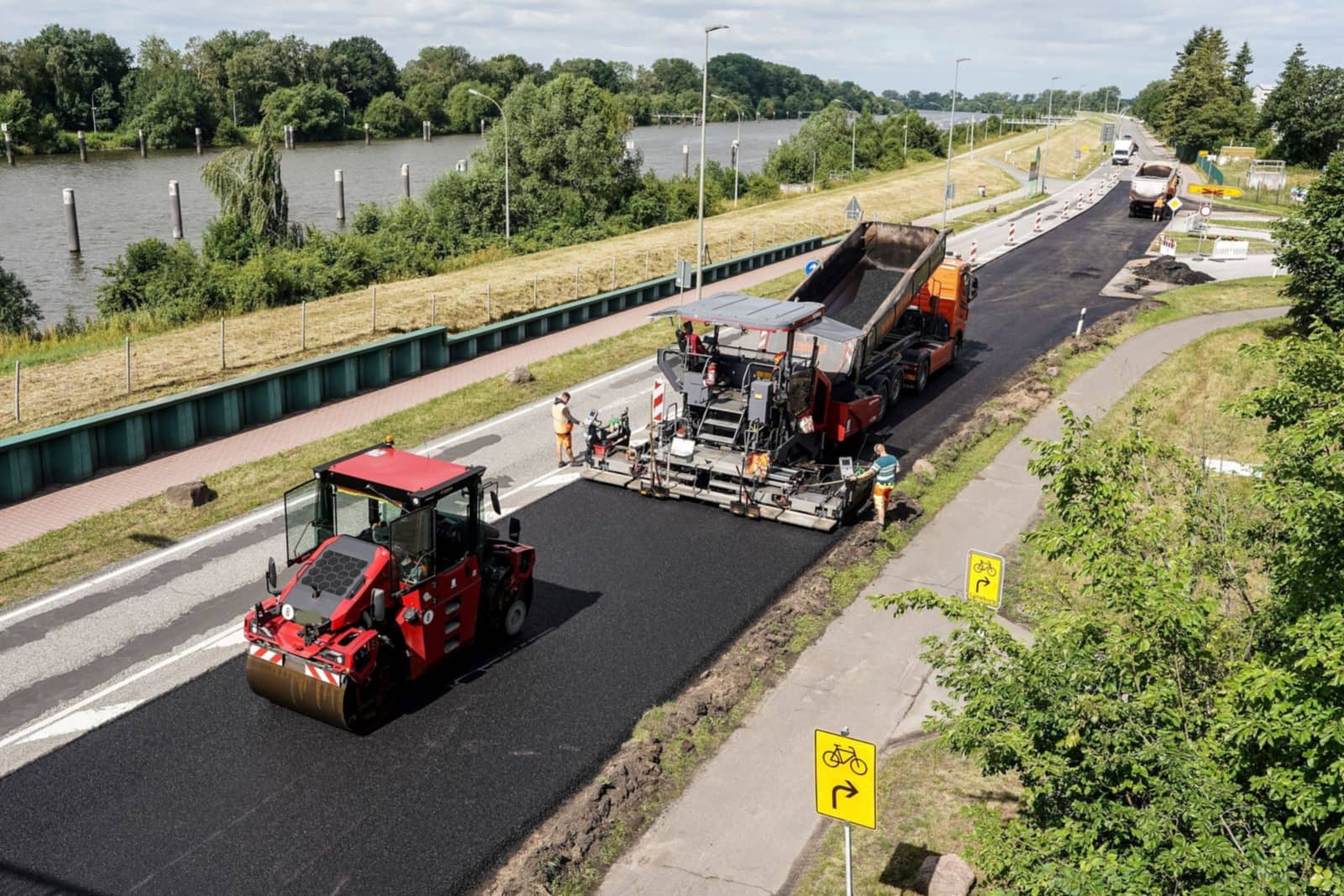
  • An asphalt paver laying a fresh lane, fed by a dump truck, with a roller compacting the new mat behind it.

    Asphalt paving contractors

    Crews, plant timing, broker trucks and tonnes placed, on one published plan.

    • HL3 and HL8
    • Tonnes placed
    • First load
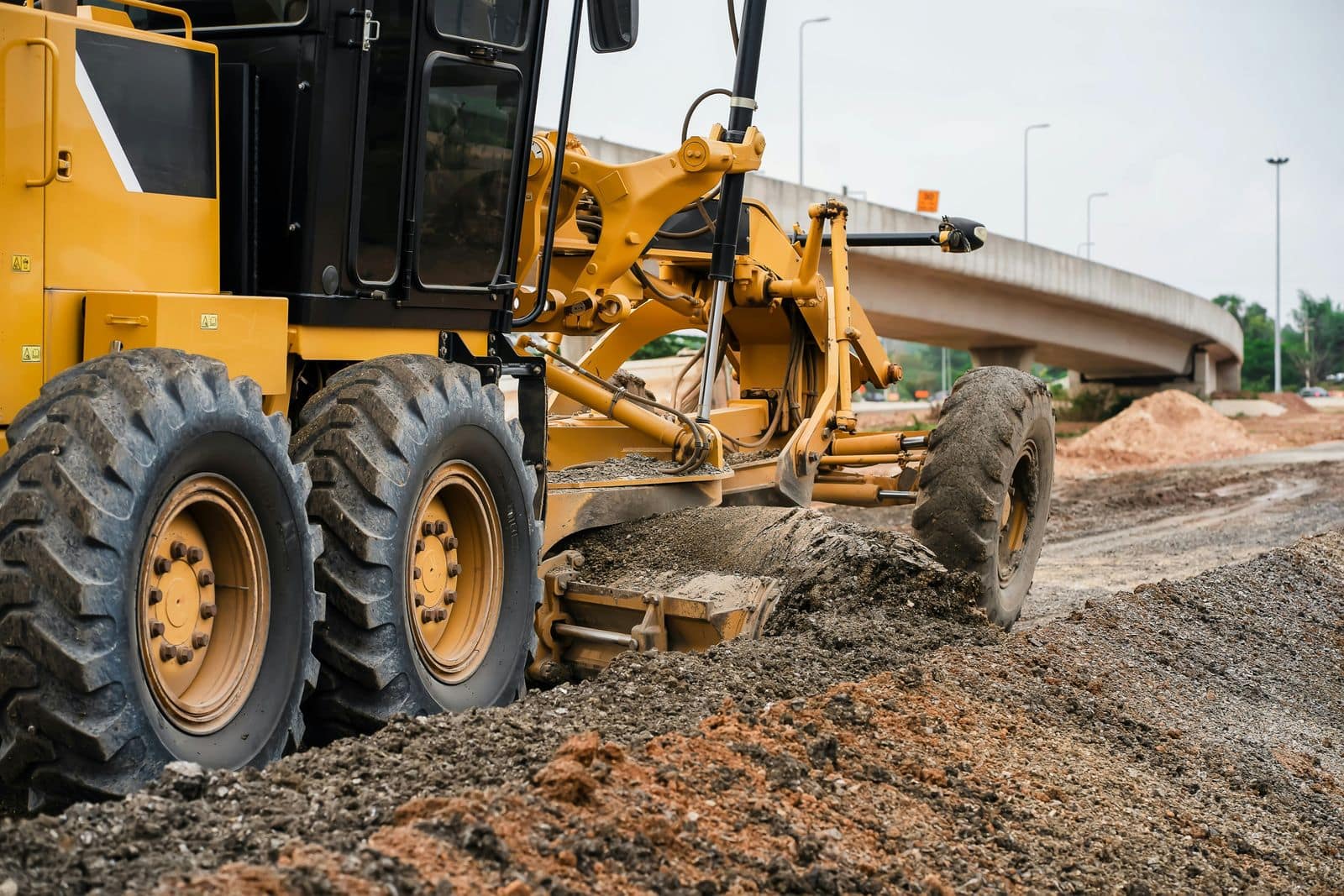
  • A motor grader spreading and levelling gravel base on a road under construction, with a highway overpass behind.

    Road construction

    Several sites, shared crews and machines, and progress you can see each day.

    • Station (Sta. 1+200)
    • Stage
    • Lift
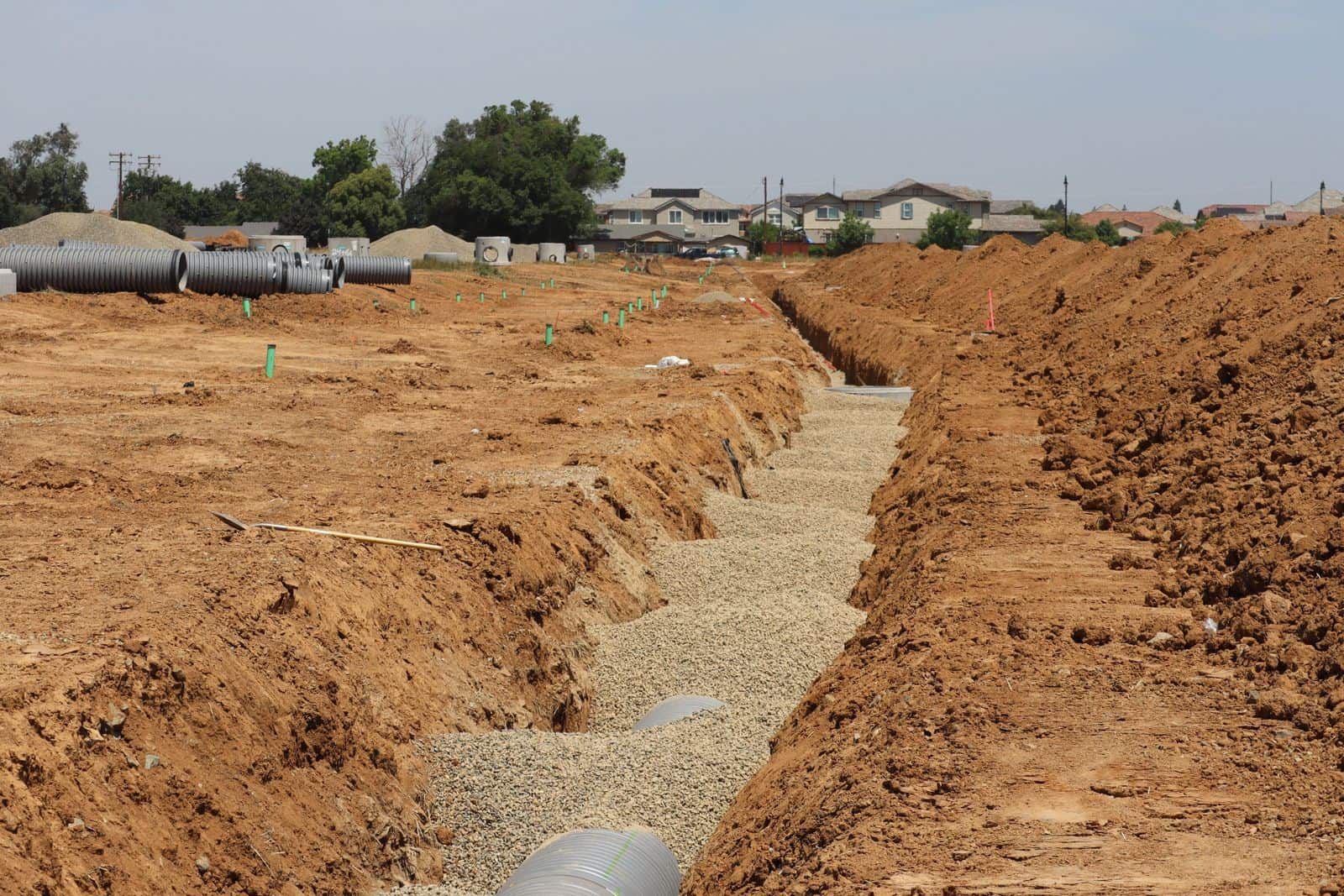
  • A drainage trench with pipe bedded in crushed stone on a new residential site, with more pipe and manhole sections staged nearby.

    Civil contractors

    Field teams, equipment, materials and reporting across many small sites.

    • Servicing
    • Maintenance hole
    • Catch basin
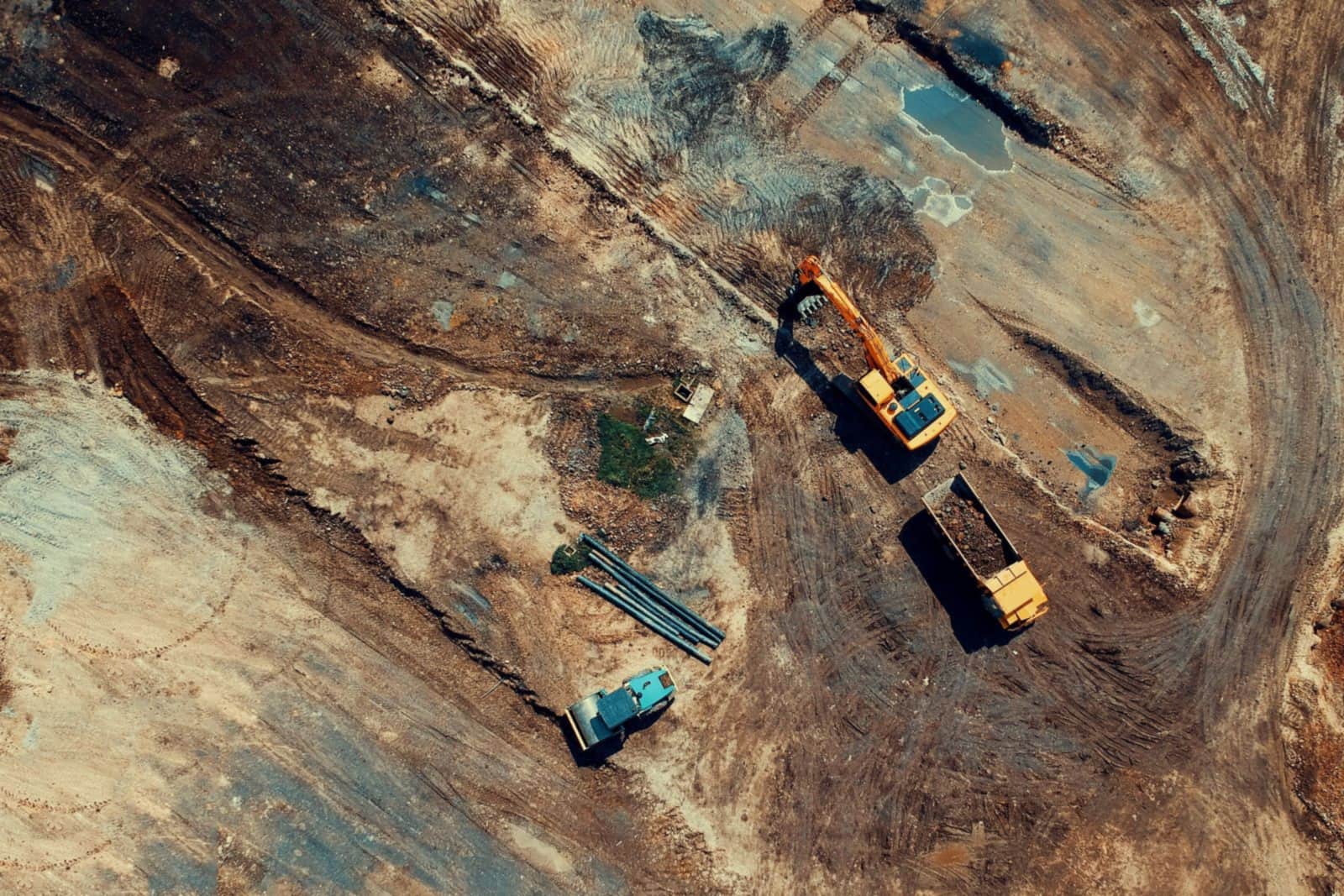
  • Aerial view of an excavator loading earth into a dump truck on an earthworks site.

    Excavation and earthworks

    Excavators, operators, trucks and float moves, planned and recorded.

    • Cut and fill
    • Loads
    • Pit
  • Aerial view of a large site where excavators, a dozer, haul trucks and service pickups work at the same time.

    Multi-crew contractors

    Many crews, many jobsites, and one plan where everyone sees their part.

    • Crew
    • Lead hand
    • Assignment

How the day adds up

Every number traces back to a record.

Each figure is from the paving day above, taken from an assignment, a dispatch update or a production entry.

The day's dispatchTuesday, June 16

  • 4 projects on site
  • 24 people assigned
  • 12 pieces of equipment on jobs
  • 10 broker trucks booked

Harborview CorridorHL3 surface, 40 mm, eastbound

  • 320 t planned for the day
  • Rev 2 dispatch update published at 10:40 AM
  • 140 t recorded by 3:30 PM

Where it lives in STRACTADaily DispatchProjectsDaily Production

FAQ

Straight answers.

Answers to the questions contractors ask us.

What is STRACTA?

STRACTA is AI-powered operations software for construction companies, built around how each company works. The office plans and publishes the daily dispatch for crews, equipment and trucks. Foremen and crews see their part on a phone, report field issues and record daily production.

Tell STRACTA what you need, out loud or in a sentence, and it builds it into your dashboard. Everyone works from the same plan, and every day leaves a record.

Who is STRACTA for?

Construction companies across Canada that coordinate crews, heavy equipment and trucks across active jobsites: asphalt paving, road construction, civil, excavation and earthworks, and multi-crew contractors.

It serves the office (owners, operations managers, dispatchers and project managers) and the field (foremen, operators, drivers and labourers).

How does STRACTA fit the way we already work?

STRACTA is built around your workflow. Every client gets a version shaped to its crews, roles and workflow, because no two construction companies run the same way.

Your version is set up with your projects, people, crews, equipment and trucks, and with the terms your team already uses, so the board looks like your day. A paving company leans on broker trucks and plant timing; an earthworks contractor on equipment moves.

How does the AI in STRACTA work?

Tell STRACTA what you need, out loud or in a sentence, and it creates the record in your dashboard.

For example, “Assign Marco D.'s crew and paver PV-03 to Harborview Corridor tomorrow at 7:00 AM” becomes an assignment on the board, so nobody punches in the details by hand.

Does STRACTA work on a phone?

Yes. STRACTA is web-based. Office teams work on a computer, and field users sign in on their phones and use the field interface, built around five tabs: My Day, Report, Chat, Tasks and More.

Can we control who sees what?

Yes. STRACTA uses role-based access. Administrators invite users, assign roles and manage permissions, and each person sees what their role allows.

Your version of STRACTA is set up with the roles your company actually uses, such as owner, dispatcher, foreman and field crew.

How do we get started?

Start with a demo. Bring a recent busy day and we'll walk through how it would run in STRACTA.

From there, we shape your version of STRACTA with your team: your projects, people and crews, company fleet, equipment, trailers and attachments, the broker trucks you book and the roles your company uses. Setup steps and timing depend on your operation, so we plan them with you.

How much does STRACTA cost?

Every version of STRACTA is built around the company using it, so we walk through pricing for your operation in your demo.

Get the whole operation moving together.

We'll walk through a day at your company in STRACTA, with your own crews, equipment, trucks and jobsites.

Built for the field. Connected to the office.

What happens next

  1. Tell us about your operation

    Your trade, team size and main challenge, on one short form.

  2. We reply by email

    We agree a time that suits you and your team.

  3. We walk through a day like yours

    Dispatch, the foreman's phone and telling STRACTA what you need, shown for your trade.