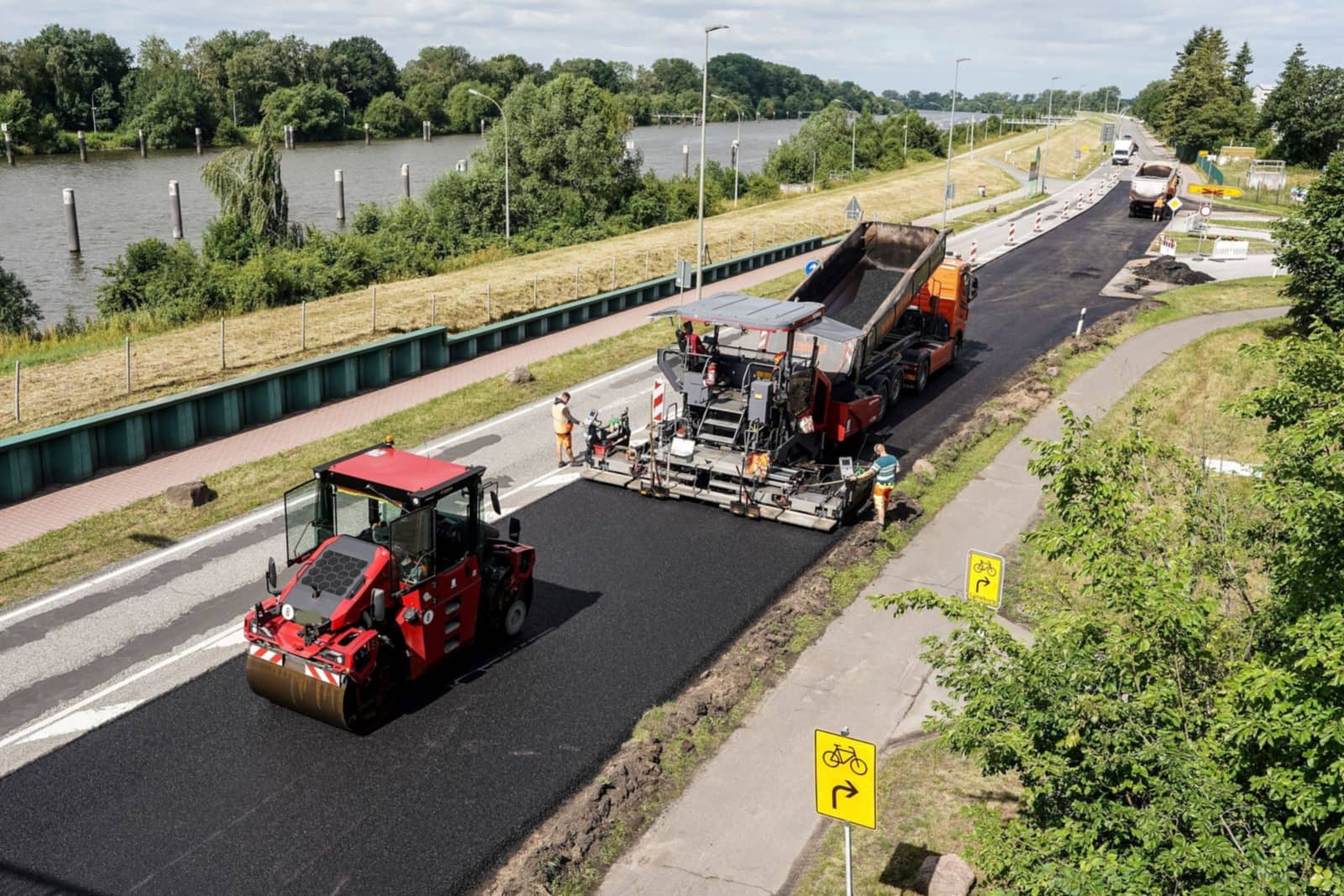
A paving day has to be right before the first truck loads at the plant. Your version of STRACTA is built around how your paving crews run: crews, pavers, rollers and broker trucks on one dispatch board, each foreman's part in My Day, and tonnes placed back at the office when the foreman records them.
The daily dispatch for Tuesday, June 16, published at 5:45 AM as revision 1, assigns crews, equipment, company trucks and broker trucks to four projects.
How it runs
One plan, from the office to the ground.
A paving day is built around the plant and the trucks.
The dispatcher puts crews, pavers, rollers and broker trucks on one board with crew start and first-load times, then publishes it. When a truck goes down at the paver, a substitute is assigned and the update reaches the foreman's phone. At the end of the shift, tonnes placed come back with hours and photos.
Built around your operation
Every STRACTA client gets a version shaped to its crews, roles and workflow, set up with your own projects, crews, machines and trucks. Tell STRACTA what you need in a sentence, and it goes on the board.
What tends to go wrong when the plan lives in phone calls, group texts and paper.
1
The paver waits on the trucks
A paver can only place what the trucks deliver. A late, bunched or broken-down truck leaves a gap at the screed while the crew waits and the mix in the next box cools.
2
Three start times, easily crossed
The crew's start, the first load at the paver and each broker truck's report time at the plant are three different times. Passed on by phone and text, one of them ends up wrong.
3
Tonnes that arrive tomorrow
When tonnes placed sit in a notebook and a stack of tickets, the office sees today's production tomorrow. Progress against the job's quantities is always a day behind.
In STRACTA
The workflows that carry the day.
Each one is shaped to how your crews work. Follow the link to see it in full.
Daily Dispatch
Publish the paving day
Put crews, pavers, rollers, the tack truck and broker trucks on each project with crew start and first-load times. Publish, and each foreman sees their crew's part in My Day.
Record each day's broker bookings with the unit, report place and time. When a truck goes down, assign another and publish an update. Affected users get an in-app notification.
At the end of the shift the foreman records tonnes placed, hours and photos from the Report tab. The project shows its progress against the production baseline.
Plain meanings for the terms on this page, for anyone new to the trade.
Asphalt paving contractors: terms and what they mean
Term
What it means
HL3 and HL8Ontario usage
Ontario mix names, commonly used for surface course (HL3) and binder course (HL8). Common in Ontario; the contract specification sets the mix on each job.
Tonnes placed
The weight of asphalt laid on the job, in tonnes (1 t is 1,000 kg). It is checked against the plant tickets.
First load
The time the first truck of mix is due at the paver. It is often later than the crew's start time.
Broker trucksOntario usage
Dump trucks hired for the day through a broker, usually run by owner-operators. The everyday term in Ontario.
Tri-axleOntario usage
A dump truck with a tandem drive and an extra lift axle. Common in Ontario, and the usual broker truck for asphalt and aggregates.
Plant ticket
The scale record for one load: date, time, mix, truck and net weight.
Float (lowbed)Ontario usage
The low-deck trailer that moves pavers and rollers between jobs. Common in Ontario; called a lowboy in the US.
Trade words change by region. Terms tagged Ontario usage are how they are commonly said in Ontario. Elsewhere the same float is a lowboy in the US and a low loader in the UK, and US crews count asphalt in tons rather than tonnes.
A day in STRACTA
One day, hour by hour.
How the plan, the field and the record connect across one working day.
Example dayFour jobs, from the 5:45 AM publish to tomorrow's paver move.
The dispatcher publishes revision 1 for four projects. Harborview Corridor: crew on site 7:00 AM, first load 9:30 AM, 320 t of HL3 planned at 40 mm.
Foreman Marco D. reviews his crew, paver, rollers and three broker trucks in My Day, and acknowledges the assignment.
Broker truck BT-02 loses a hoist hose at the paver and can't dump its load. Marco reports the truck down from his phone, and it shows in the office as needing attention.
The dispatcher moves BT-08 over from Ridgeline Road and publishes revision 2. Affected users get an in-app notification.
Marco records 140 t of HL3 placed so far, 18.0 hours and a photo of the finished mat at Sta. 1+600.
Tomorrow's move is scheduled: paver PV-02 on lowbed float FL-01, driver Dev R., available at Bellwether Pointe by 6:30 AM.
Yes. My Day shows the crew's on-site time, the first load at the paver and the planned quantity, with the crew, equipment and broker trucks assigned to the job.
Can we book broker trucks by voice?
Yes. Tell STRACTA what you need, such as “Book three Tallis trucks for Talbridge at 8:20, HL8 out of Stonefield North.” The booking lands on the dispatch with the broker, the report place and the time.
What happens when a broker truck breaks down at the paver?
The foreman reports it from the phone, and it shows in the office as needing attention. The dispatcher assigns another truck and publishes an update, and the affected users get an in-app notification.
How do tonnes placed get back to the office?
The foreman records tonnes placed, hours and photos from the Report tab at the end of the shift. The entry shows on the project the same day, against the production baseline, ready to check against the plant tickets.