Solutions
STRACTA for civil contractors
Civil contractors run small field teams across many sites, from watermains and culverts to subdivision servicing. STRACTA coordinates each team's assignment, shows which equipment is available, records materials and brings the day's reporting back to the office.
How it runs
One plan, from the office to the ground.
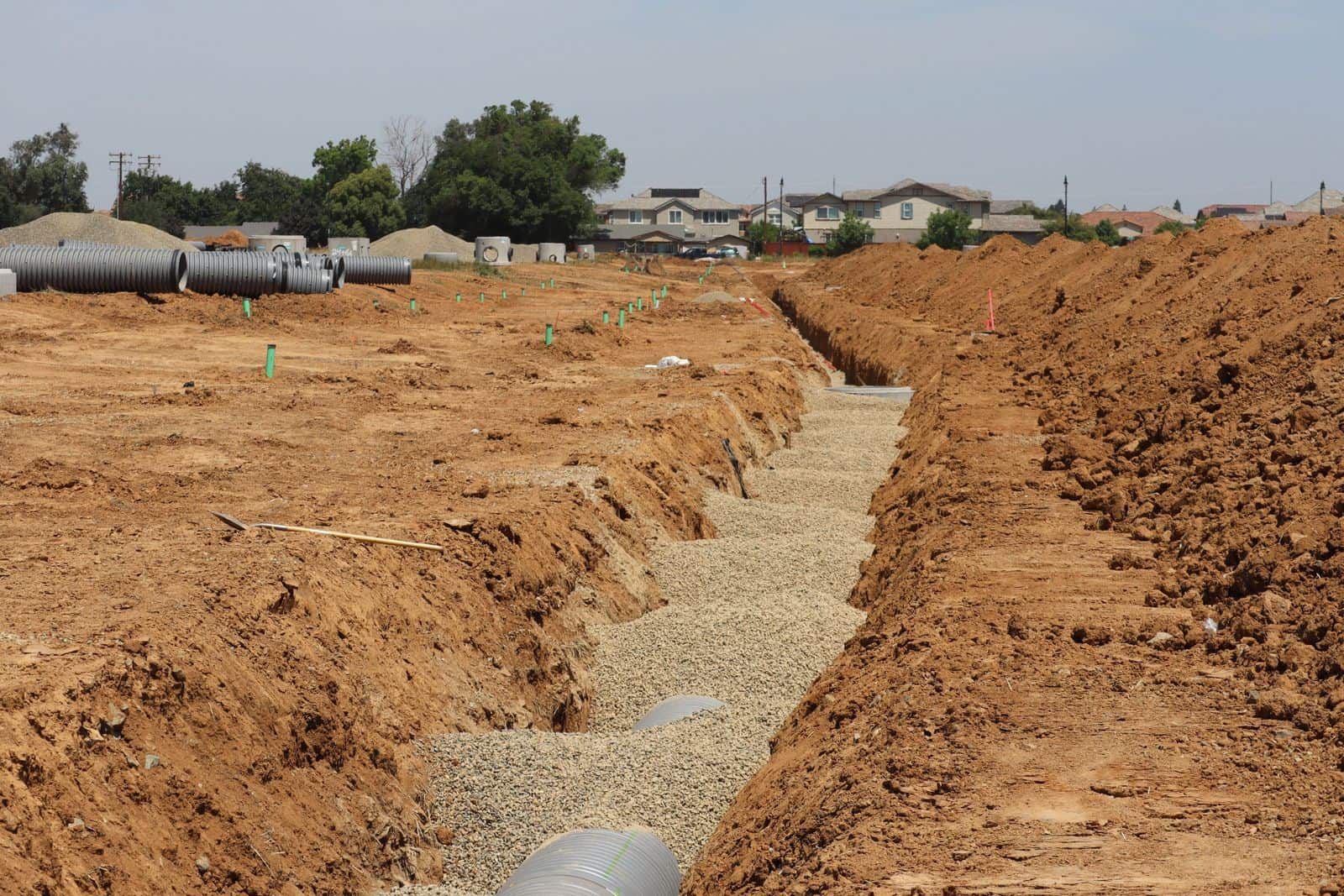
A civil contractor might have a pipe crew on a watermain, a servicing crew in a new subdivision and a restoration crew finishing last week's work.
Each team gets its assignment on the phone, dispatch can see which machines are available, materials are recorded against plan, and the day's quantities and photos come back to the project.
Built around your operation
Every STRACTA client gets a version shaped to its crews, roles and workflow, set up with your own projects, crews, machines and trucks. Tell STRACTA what you need in a sentence, and it goes on the board.
How STRACTA fits your operationThe problem
Where the day usually breaks down.
What tends to go wrong when the plan lives in phone calls, group texts and paper.
Small teams, many sites
Pipe, concrete, grading and restoration crews work on different sites and change jobs often. Keeping every person clear on where to go takes a lot of phone calls.
Who has the excavator?
Machines move between teams, and some are down for repair. Without one record of what is available, two foremen plan their day around the same machine.
Reporting in pieces
Quantities on paper, photos on someone's phone and issues in a text thread make it slow to answer a simple question about what happened on site.
In STRACTA
The workflows that carry the day.
Each one is shaped to how your crews work. Follow the link to see it in full.
Daily Dispatch
Coordinate every field team
Assign each team's people, equipment and trucks on one board and publish. Each person sees their own assignment in My Day, and changes go out as published updates.
Explore Daily DispatchEquipment
See what equipment is available
Equipment carries its operational availability, and company fleet units carry statuses such as out of service, so dispatch can place what is ready to work.
Explore EquipmentMaterials
Materials planned and delivered
Record planned and delivered materials, such as pipe and granular, and the quantities installed on each project.
Explore MaterialsReports and History
Reporting that stays with the job
Daily production with quantities, hours and photos, field issues and project documents stay with the project, and Reports and History keeps the record.
Explore Reports and History
Terminology
The words on the job.
Plain meanings for the terms on this page, for anyone new to the trade.
| Term | What it means |
|---|---|
| Servicing | Installing underground services, such as storm and sanitary sewers and watermains, before the roads are built. |
| Maintenance holeOntario usage | An access structure for an underground sewer, also called a manhole. Common in Ontario. |
| Catch basin | A street-level inlet that collects stormwater into the storm sewer. |
| Bedding and backfill | The granular placed under and around a pipe, and the material that refills the trench above it. |
| Phase | One section of a development, released and built in sequence. |
| Base asphalt | The first asphalt lift on a new subdivision road. The surface lift often follows later. |
| Restoration | Putting back what the work disturbed: sod, curb, sidewalk or asphalt. |
Trade words change by region. Terms tagged Ontario usage are how they are commonly said in Ontario. Elsewhere the same float is a lowboy in the US and a low loader in the UK, and US crews count asphalt in tons rather than tonnes.
A day in STRACTA
One day, hour by hour.
How the plan, the field and the record connect across one working day.
Example dayFour field teams across watermain, servicing, culvert and restoration work.
The dispatcher publishes four field teams: a pipe crew on the Wexley Street watermain, a servicing crew in Phase 4 of a subdivision, a concrete crew on a culvert headwall and a restoration crew.
The pipe crew's foreman acknowledges in My Day and checks the excavator, loader and tandem dump assigned to the job.
The Phase 4 loader goes down with a hydraulic leak. The foreman reports it, the office marks it out of service, and dispatch moves the restoration crew's loader over and publishes an update.
Pipe for tomorrow arrives at Phase 4 and is recorded against the planned quantity in Materials.
Each foreman records the day's quantities, such as metres of watermain laid, with hours and photos.
The project manager files the inspector's site notes and photos with the project in Documents.
Roles
Who uses it every day.
Each role sees its own part of the same plan.
Office · desktop
Operations managers
Every crew, machine and truck on one board, and field issues in one list.
Works in Overview and Intelligence · Daily Dispatch · Equipment Moves
Office · desktop
Project managers
Production against the baseline, from the field's own daily records.
Works in Projects · Daily Production · Documents
Office · desktop
Dispatchers
Build the day, publish it, and publish the change when the day changes.
Works in Daily Dispatch · Broker Trucks · Company Fleet
Field · phone
Foremen and supervisors
Your crew's day on your phone: see it, acknowledge it, report back.
Works in My Day · Field Reporting · Daily Production
FAQ
Common questions.
Does STRACTA cover site development and servicing work?
Yes. Site development contractors use the same tools. For example, each phase can be set up as a project with its own tasks and crews, and machines move between phases as planned equipment moves.
Can each field team see only its own work?
Yes. Field users see their own published assignments in a simplified phone interface. Administrators manage users, invitations and permissions in Team and Access, with roles set up the way your company is organized.
Can we keep drawings and photos with the project?
Yes. Documents holds project files and photos, and daily production entries carry their own photos from the field.
Will STRACTA fit how we run our field teams?
That's how it's built. Every STRACTA client gets a version shaped to its crews, roles and workflow, set up with your own projects, people, equipment and trucks, because no two contractors run the same way.
Other trades
STRACTA for other trades.
Asphalt paving contractors
Crews, plant timing, broker trucks and tonnes placed, on one published plan.
Road construction
Several sites, shared crews and machines, and progress you can see each day.
Excavation and earthworks
Excavators, operators, trucks and float moves, planned and recorded.
Multi-crew contractors
Many crews, many jobsites, and one plan where everyone sees their part.
See it with your own crews and jobs.
Bring a real day from your company to the demo: the projects, crews, machines and trucks you would put on tomorrow's board.